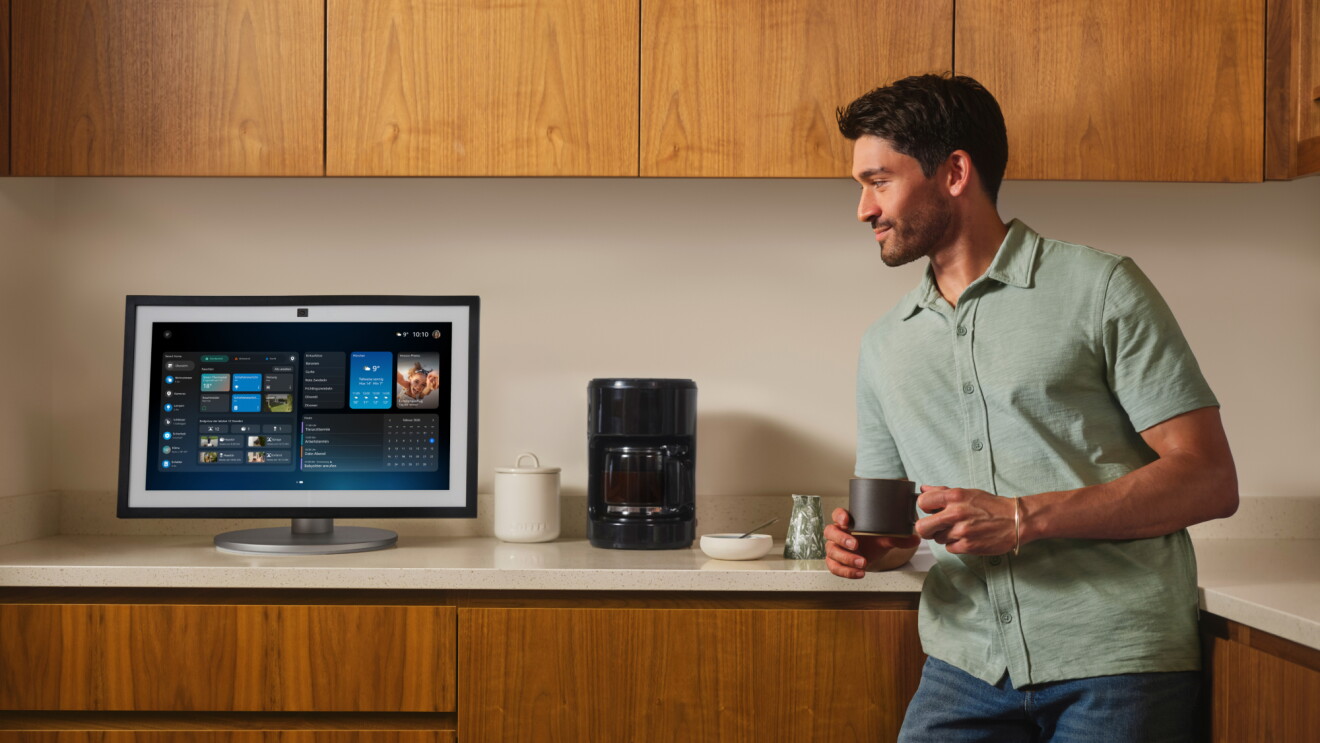
Echo Hub is an Alexa-enabled smart home control panel, designed to make it easy to organize and control the smart home devices in your home—like security cameras, alarm systems, lights, locks, plugs, blinds, and thermostats. It has a thin, 8-inch touch-enabled display with a customizable smart home dashboard. And now, with a completely redesigned interface that delivers a more modern look, deeper customization, and device controls to help you manage compatible smart devices, arm a Ring security system, start a Routine, or view live camera feeds.

Echo Hub can be mounted on a wall or placed on a counter with a stand accessory sold separately. It includes a built-in smart home hub with support for Zigbee, Sidewalk, Thread, Bluetooth, and Matter, making it compatible with a wide variety of connected devices without the need for a separate smart home bridge. Echo Hub can also connect to the internet wirelessly, or via ethernet with a compatible Power over Ethernet (PoE) adapter.
Here are nine ways to get the most out of your smart home control panel:
Page overview
Easily set up and manage all of your compatible devices across protocols
1
Easily set up and manage all of your compatible devices across protocols
2
Customize your smart home dashboard
3
More granular control of your rooms’ smart home devices
4
View live camera feeds and Ring footage
5
Automate your home and security system
6
Easily view and begin Routines with a tap
7
Control your home’s audio
8
Personalize your display with photos
9
Manage your privacy settings
1.
Easily set up and manage all of your compatible devices across protocols
Wi-Fi, Bluetooth, Zigbee, Sidewalk, Thread, and Matter devices sync seamlessly with the built-in smart home hub, allowing you to mix and match devices to meet your unique needs, regardless of the brand or manufacturer. Echo Hub can also control select devices, such as lights, switches, and plugs, even if your internet is down.
2.
Customize your smart home dashboard
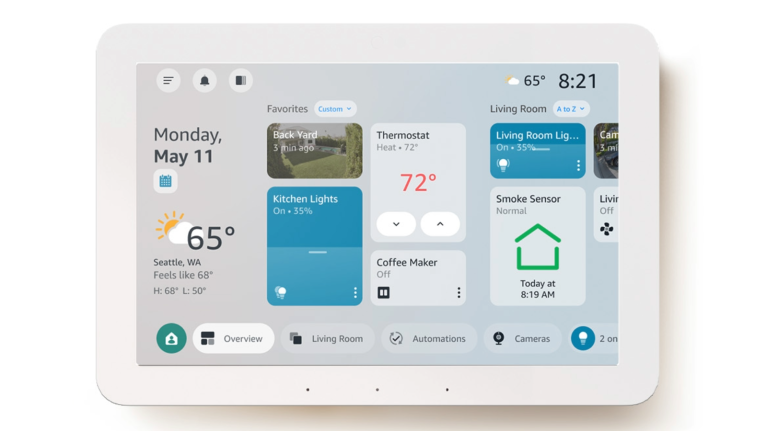
With the redesigned interface, you have even more control over how your dashboard looks and works.
The Echo Hub displays the devices you use most, so you have one-tap access to quickly turn on/off lights, pull up camera feeds, set your security system, or start Routines. During setup, Echo Hub automatically populates the dashboard with the devices connected to your Alexa account, organized based on your Alexa app configurations. From there, the new interface gives you expanded options to personalize your layout—add, remove, or rearrange sections with a long press, and choose from more display configurations to match how you manage your home room by room.
3.
More granular control of your rooms’ smart home devices
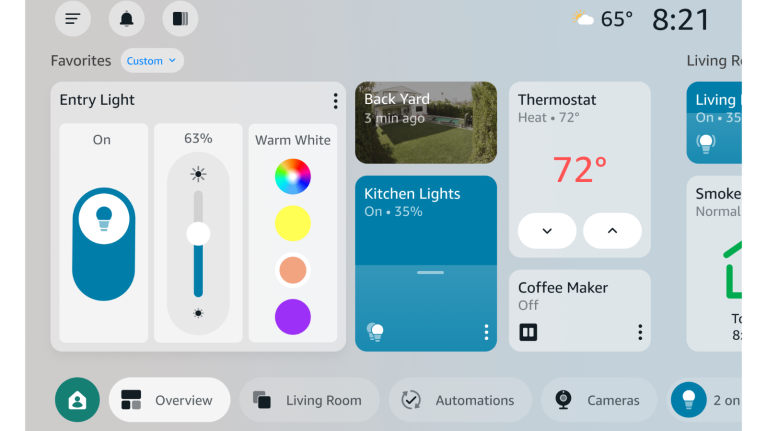
The redesigned Echo Hub gives you more visual, intuitive control over every connected device in your home. Tap the three-dot menu on any connected device to access granular controls—like precise dimming (0–100%), color adjustment, or the color wheel to pick from a variety of colors on compatible bulbs. Your dashboard is organized by room or function (e.g., "Bedroom," "Downstairs," "Climate"), so you can find and manage devices quickly, control everything in a group with a single tap, or create new groups right from the device. You can also access your most-used Routines directly from the home screen or the automations tab and trigger them with one tap.
4.
View live camera feeds and Ring footage
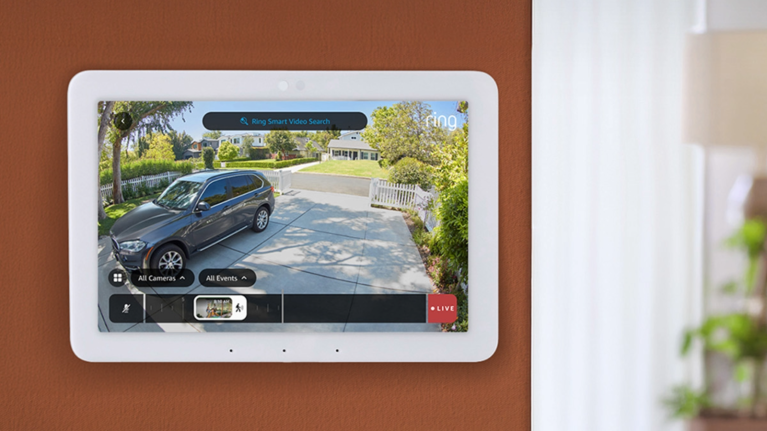
Echo Hub makes it easy to curate camera feeds on your home screen or by asking Alexa—and with Multiview, you can view up to four live camera streams at once. If you have a Ring AI Pro subscription, Alexa+ can provide a summary of detected camera events and show you relevant footage on your Echo Hub, like package deliveries or dog walker visits. Alexa+ also integrates with Ring’s Video Search, so you can find and play specific moments you care about, like “show me all the footage of wildlife in the backyard this week.”
5.
Automate your home and security system
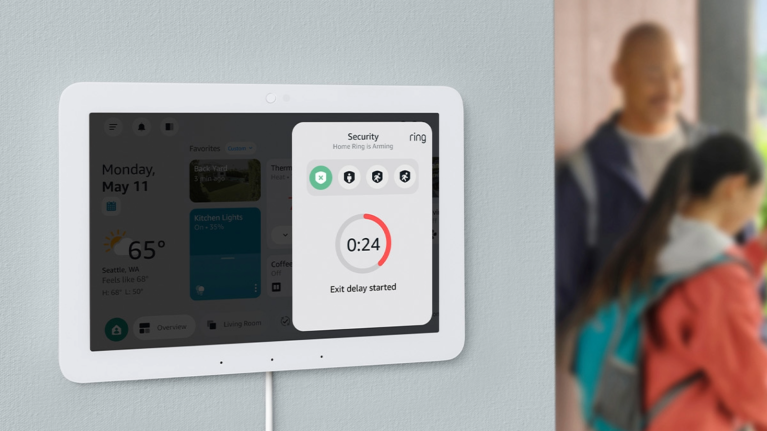
Use Echo Hub to arm and disarm your Ring alarm with a single tap. With Modes, you can automate smart home actions and devices for when you’re home or away like setting your security system, locking front and back doors, closing blinds or turning on/off lights. Similarly, Night and Vacation modes let you manage your home's nighttime settings or protecting your home during extended absences.
6.
Easily view and begin Routines with a tap
Access your most frequently used Routines and Scenes (preset device preferences like level of light brightness) directly from the home screen using the automations section or tab, and trigger them with a single tap. Routines you create by voice will quickly populate here for easy access.
7.
Control your home’s audio
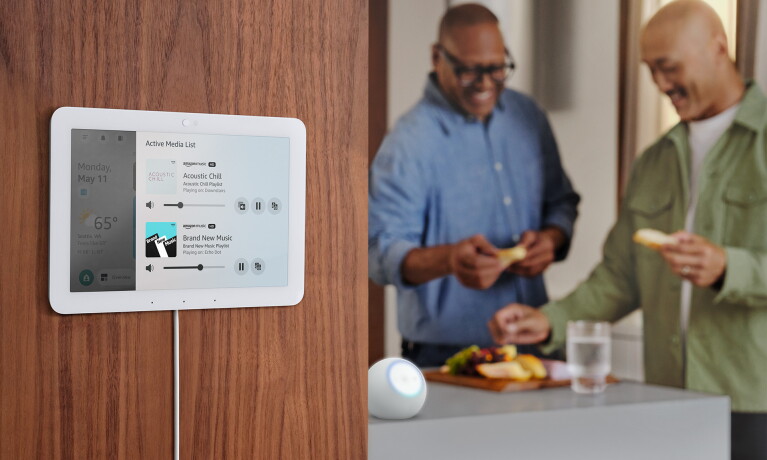
Connect Echo Hub to your preferred speakers and control the audio throughout your home. You can even control the volume for individual speakers in a multiroom music group, directly from the device dashboard. Plus, you can see how many active media streams are playing throughout your home by going to the menu button and selecting active media to see a full list.
8.
Personalize your display with photos
With Adaptive Content, Echo Hub uses infrared technology to detect when you are nearby, naturally transitioning from your customized home screen to the smart home dashboard when you approach. To personalize your device, you can choose to display curated collections or personal photos from your Amazon Photos account. Prime members get unlimited full-resolution photo storage with Amazon Photos.
9.
Manage your privacy settings
Echo Hub is built with multiple layers of privacy protection. From the mic-off button to the ability to delete your voice recordings, you have transparency and control over your Alexa experience. Learn more about Echo and Alexa privacy features.
The redesigned Echo Hub experience is beginning to roll out now as a free software update for all Echo Hub owners. Echo Hub is available for $179.99.
Trending news and stories